01
Say it. See it.
Describe the subject, atmosphere and details. Create an image from a single prompt.
nanobanana3 · YOUR NEXT IDEA, IN FOCUS
For small shops and creators: generate a visual concept, then adjust its background, lighting and composition in the same conversation. Upload your own product reference when accuracy matters.
Try the image studio free20 welcome credits · Sign-in required · No card required
A little imagination goes a long way.
Explore a ceramic mug concept from a simple studio shot to a styled storefront composition. Follow each prompt before trying it yourself.
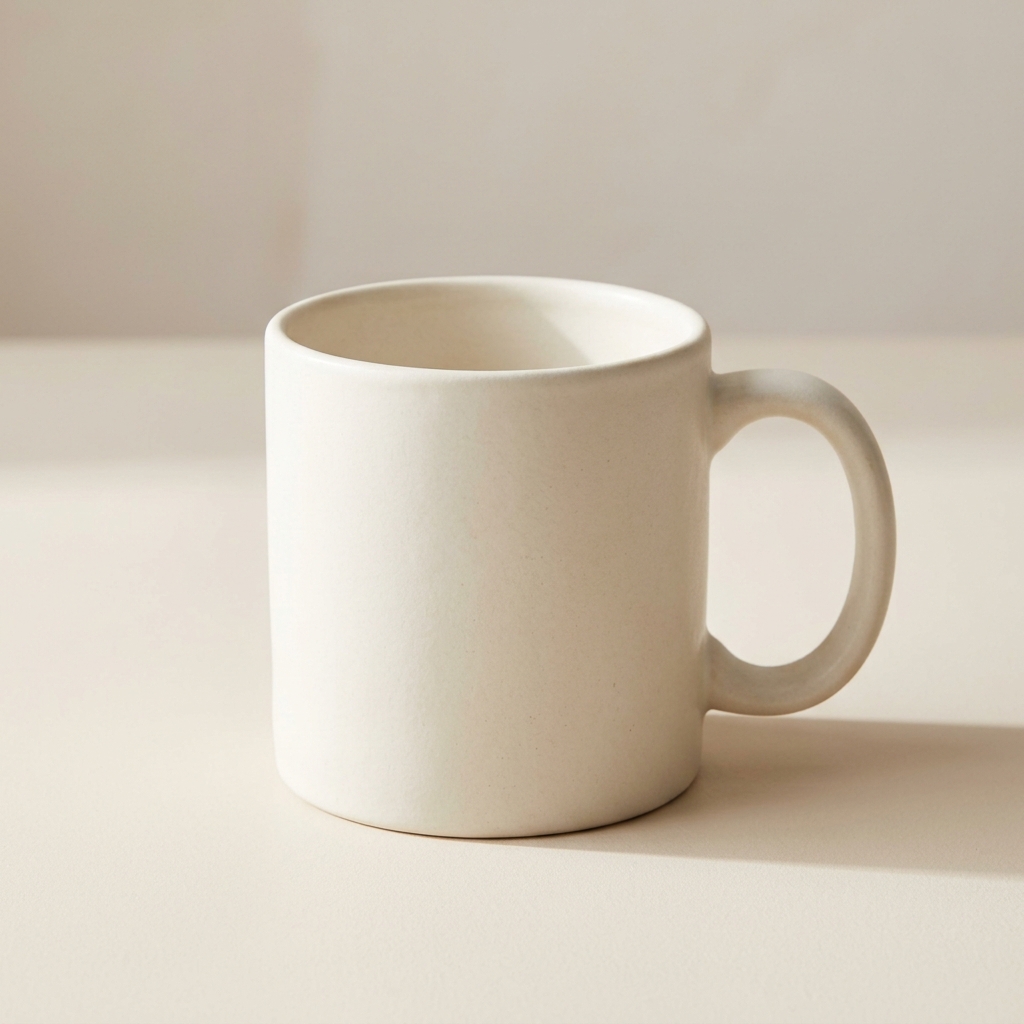
Reference demo generated at 1K on 2026-10-10. Results vary between runs.
Prompt used for this step
Create a square studio product photograph of a plain unbranded matte ivory ceramic mug. Keep its shape clear and realistic, on a pale beige background with soft window light, subtle shadow, no lettering, no logo, no watermark.
20 welcome credits cover two 1K operations. This complete four-step sequence uses 40 credits. You can view every demo step without signing in or spending credits.
Use the first promptProduct photo guideThis mug is a fictional, unbranded concept. AI edits can change product details. For real listings, use a reference you own and check shape, color, packaging and any required disclosures before publishing.
Describe the subject, atmosphere and details. Create an image from a single prompt.
Change the light, refine a composition or explore a new direction across 4 connected turns.
Choose 1K, 2K or 4K and a canvas that fits your next project.
Start with a clear subject, a suitable canvas and a useful reference. Use 1K to explore an idea, then choose 2K or 4K for a new generation or edit when your project needs more pixels. Review the result at its intended display size before downloading.
When you need 4k quality for a larger visual, select 4K output and describe the lighting, materials and framing you want. Each 4K generation or edit uses 35 credits. Extra pixels do not guarantee sharper labels or an unchanged product: compare the image with your reference and check shape, color and packaging. This is image generation and editing, rather than a dedicated upscaler that preserves every pixel of an existing photo.
If you are looking for a low quality image maker to sketch an idea or explore a deliberately rough style, start at 1K and describe the effect: pixel art, grainy film or a loose illustration. A smaller output is not automatically low quality, and a style request may need refinement. Each 1K operation uses 10 credits, so the 20-credit welcome trial covers a first image and one edit. Once the composition works, choose a larger size for a subsequent operation; it uses additional credits and may change details.
Visual inspiration from our reference collection. These are not model output benchmarks.
nanobanana3 is an independent image studio for generating images from text and references, then refining them in a conversation. Image processing is provided through OpenLux. It is not an official Google or OpenLux product.
Each generation or edit costs 10 credits at 1K, 15 at 2K, or 35 at 4K. Failed tasks return their credits automatically.
Yes. A conversation supports up to 4 successful turns, keeping earlier images and context. You can also upload up to 4 reference images per turn.
Your uploaded and generated images require your signed-in account to view. Prompts and images are sent to OpenLux to process generation requests.
If your question is ‘is nano banana free’, this studio offers a limited free trial: sign up for 20 welcome credits, with no card required. That covers two 1K operations, such as one generation followed by one edit. Each 2K operation costs 15 credits and each 4K operation costs 35, so the welcome allowance does not cover a 4K generation. Further use requires available credits. This offer belongs to this independent studio; other services have their own pricing and trial rules.
nanobanana3 is an image studio with text prompts, reference uploads and up to four editing turns. It does not offer a Pro model selector or promise the same results as other tools. Compare actual images, credit costs and editing workflows for your task, especially when product labels or object shape matter.
Phrases such as ‘google banana nano’ and ‘image ai banana’ can be unclear when you are looking for an image tool. Google documents its Nano Banana image model family under Gemini. This website is a separate, independent image studio, not Google's Gemini app. Here you can use text prompts and reference images to generate a visual, then continue editing in the same conversation. Check the model and service name when comparing tools so you know which workflow you are using.
No installation is needed to use this browser-based studio. If you are comparing a banana app with a ‘photoshop nano banana’ workflow, consider where you want to finish your image. Here you enter a prompt, upload references if needed, generate and download. You can then open the downloaded image in Photoshop or another editor to add final text, adjust the layout or combine it with other assets. This site does not provide a Photoshop plugin, Adobe integration or an Adobe subscription.
A short prompt such as ‘photo bana’ leaves the subject and purpose unclear. If you mean a banana image of the fruit, try ‘A ripe yellow banana on a pale stone surface, soft daylight, realistic still-life photography, square composition’. If you mean an AI product photo, name your actual product and describe the scene instead. Upload a reference when specific details matter, then ask for focused changes to the background, light or composition. Clear instructions are more useful than a shortened tool name.